
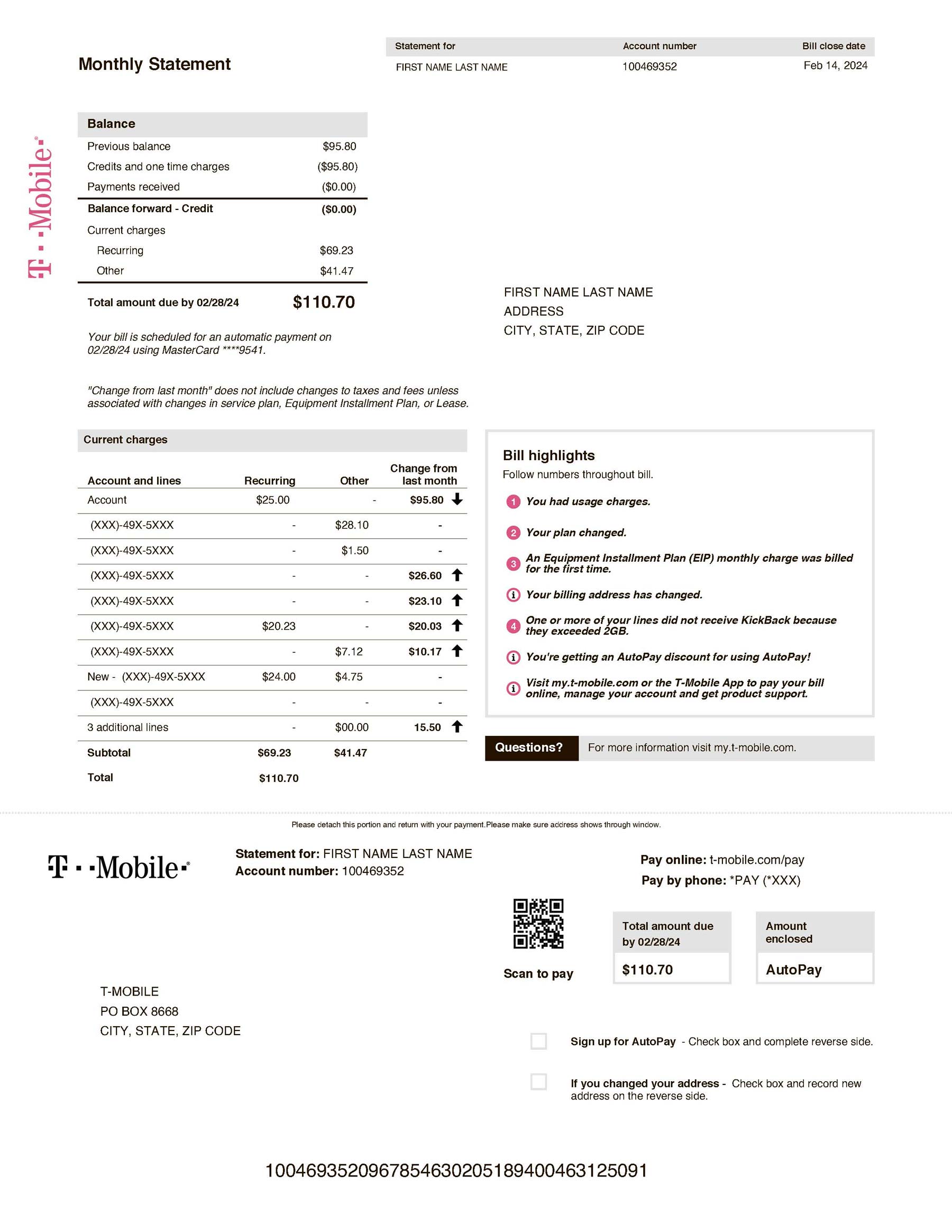
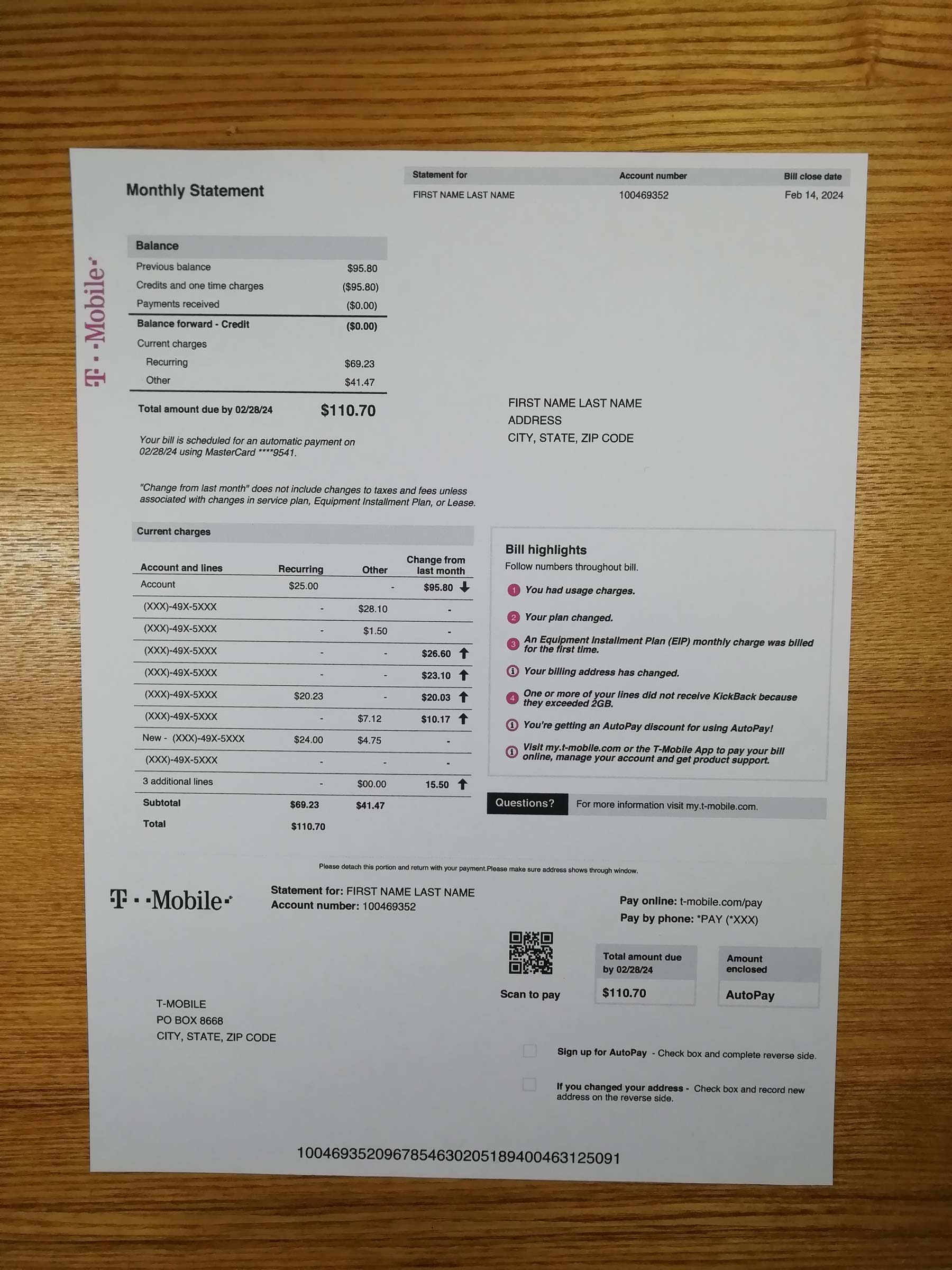
About This Template
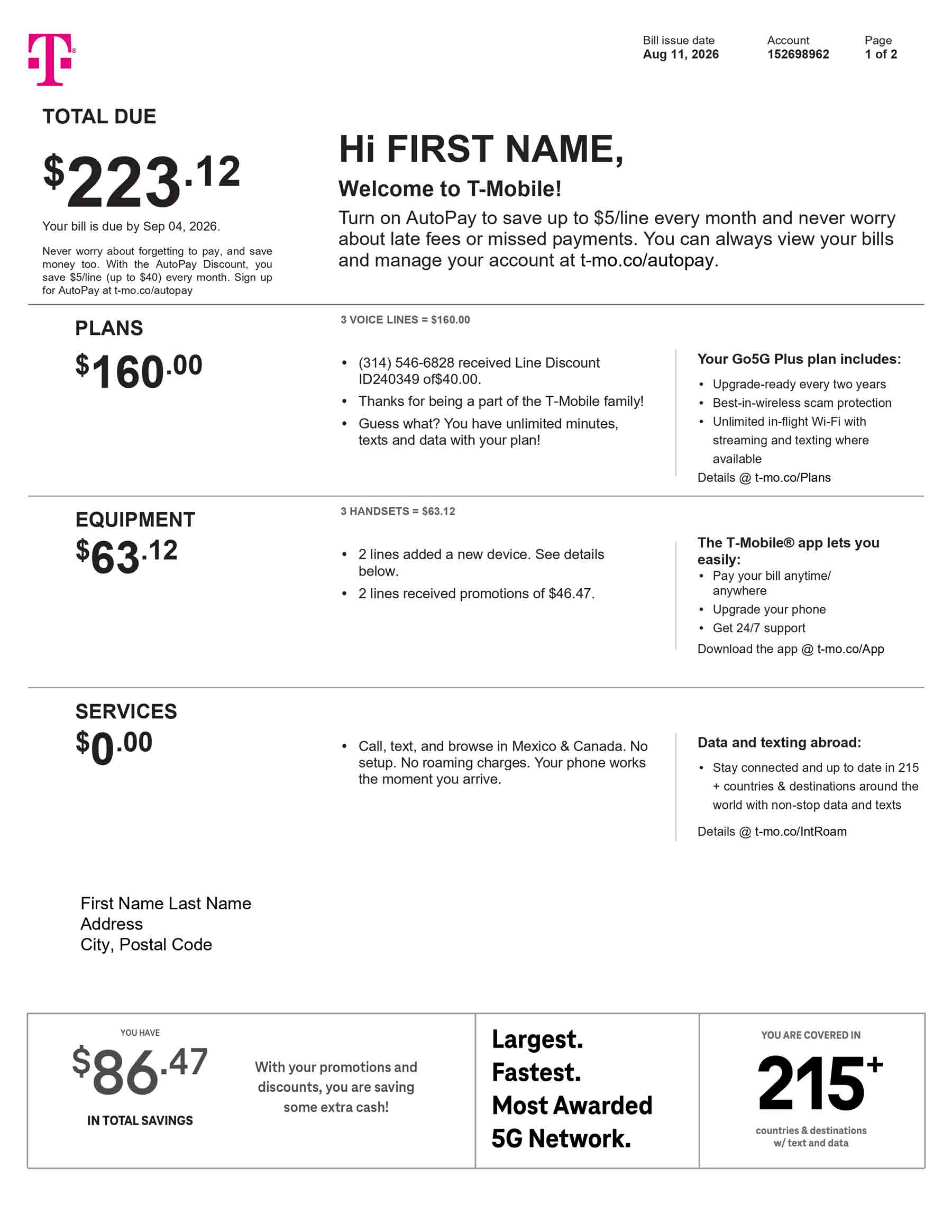
T-Mobile is a mobile-first U.S. telecommunications provider offering wireless phone plans, connected devices, and Home Internet services. It is not a traditional cable television provider. For that reason, this template primarily follows the structure of a postpaid mobile statement while allowing designers to include an optional Home Internet service line.
The editable layout reproduces common telecom billing interface components, including an account summary, billing cycle, service charges by line, equipment payments, data and call usage, credits, taxes, fees, and the total amount due.
Official T-Mobile billing resources show that statements may include current charges, previous balances, account-level and line-level details, usage information, discounts, equipment installment plans, taxes, and fees.

What This Template Is For
This blank T-Mobile billing template is designed for:
- Telecom billing screen mockups
Build account overview, billing summary, payment, and line-detail screens for mobile or fintech applications. - Billing-page QA testing
Test typography, data wrapping, responsive tables, PDF previews, file-upload fields, and multi-line account layouts. - UI/UX portfolio projects
Present a fictional telecom account-management interface as part of a mobile app, dashboard, or product design case study. - Educational demonstrations
Explain how subscription charges, device payments, usage summaries, credits, taxes, and telecom fees are organized.
This template is not designed for address confirmation or submission to third parties.
How Telecom Bills Differ From Utility Bills
A telecom statement is structured differently from an electricity, gas, or water bill.
Traditional utility bills are generally connected to a physical meter and may calculate charges from measurable consumption, such as kilowatt-hours, therms, gallons, or cubic metres. A telecom bill is primarily subscription-based.
A mobile-first T-Mobile statement may contain:
- Monthly plan charges for each phone line
- Add-on services and account features
- Smartphone or device installment payments
- Promotional credits and discounts
- Data, call, and message usage summaries
- International, roaming, or out-of-plan charges
- Government taxes and telecom-related fees
T-Mobile also provides Home Internet services. A Home Internet line normally appears as a recurring internet subscription rather than a metered electricity-style consumption charge.
If You Need a Real T-Mobile Bill
Customers who need an issued account statement should sign in through the official T-Mobile account portal or use the official T-Life app.
T-Mobile states that customers can open their bill details and download a summary or detailed PDF statement from their account. Paperless statements can also be accessed through T-Mobile.com or the T-Life app.
Do not use a downloadable design template when an organization has requested an officially issued account statement.
Why You Shouldn’t Buy a Completed Bill Online
Purchasing a completed bill containing invented customer, address, account, service, or payment information and presenting it as an issued statement is fraud and deliberate misrepresentation.
Such a file does not establish that the named person owns the account, receives service at the listed address, or made the displayed payments. Only the provider can issue a valid statement connected to an active customer account.
Use blank templates exclusively for design, development, software testing, training, and classroom demonstrations.
T-Mobile Bill Structure
A T-Mobile-style telecom statement commonly includes the following sections:
1. Account and Line Identification
The header may contain the account holder’s name, account number, and the mobile numbers or service lines associated with the account.
2. Billing Cycle and Payment Information
This section presents the statement period, bill date, payment due date, previous balance, payments, credits, current charges, and total amount due.
3. Monthly Plan Charges
Recurring subscription charges may be grouped by account or listed separately for each mobile line. Optional Home Internet service may appear as an additional recurring line.
4. Equipment Installment Details
Smartphone, tablet, watch, gateway, or accessory payments may appear separately from wireless service charges. T-Mobile refers to financed device payments as Equipment Installment Plans.
5. Usage and Additional Charges
Detailed statements may show data, calls, messages, roaming, international activity, additional services, or charges outside the regular plan. T-Mobile account tools provide usage information for the current billing cycle.
6. Taxes, Fees, Credits, and Adjustments
The final calculation may include government taxes, regulatory charges, provider fees, promotional credits, discounts, refunds, and account adjustments.
Download the Template
Use this blank design file to create telecom billing interfaces, demonstrate account-management workflows, test billing-page layouts, or prepare an educational presentation.
File formats included:
- Editable Microsoft Word template
- Printable PDF template
- Blank customer and account fields
- Editable billing tables
- Mobile plan and device-payment sections
- Optional Home Internet service line
Download disclaimer: This file is provided only for UI/UX design, software QA, training, and educational use. It is not issued by T-Mobile and must not be submitted as an account record or address document.
[Download Blank T-Mobile Bill Template — PDF + Word]
Frequently Asked Questions
Can I use this template as a real T-Mobile bill?
No. It is a blank design file and is not connected to an active T-Mobile account. It cannot show that a person owns a service line, lives at an address, or has paid the displayed amount.
A real statement must be downloaded from the customer’s official T-Mobile account or T-Life app.
Why can’t I fill it in and use it as an issued bill?
Adding personal details does not turn a design template into a provider-issued statement. Presenting invented account or payment information as an official record is fraud and may result in account restrictions, financial loss, legal consequences, or rejection of the submission.
How do I get a real T-Mobile bill?
Sign in to the official T-Mobile account portal, open the billing section, and download the available summary or detailed PDF statement. Customers may also review billing information through the T-Life app.
Can I use a T-Mobile phone bill as proof of address?
A mobile phone bill is usually not accepted for this purpose because mobile service is associated primarily with an account and phone line rather than permanently metered premises.
A fixed Home Internet statement may be treated differently because the service is registered for an eligible service location. Some organizations may accept a broadband statement displaying the service address, while others exclude all telecom bills. Always check the receiving organization’s current document policy before submitting anything.
Does the template include T-Mobile Home Internet?
Yes. The primary layout follows a mobile postpaid statement, but it includes an optional recurring Home Internet line for billing UI projects involving bundled phone and internet services.
Can developers use the template for upload-form testing?
Yes. It can be used as blank sample data for testing PDF previews, Word imports, upload controls, table rendering, responsive layouts, and document-management interfaces.
Testing should take place in development, staging, demonstration, or educational environments.
Reviews
There are no reviews yet.